本文最后更新于4 天前,其中的信息可能已经过时,如有错误请发送邮件到big_fw@foxmail.com
网络编程基础
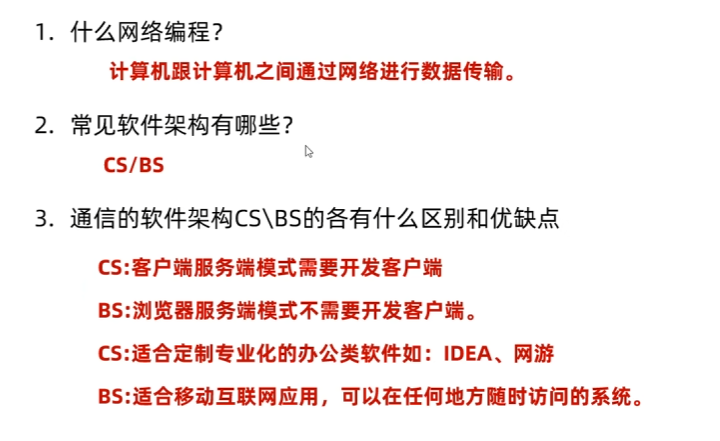
网络编程三要素、
概念
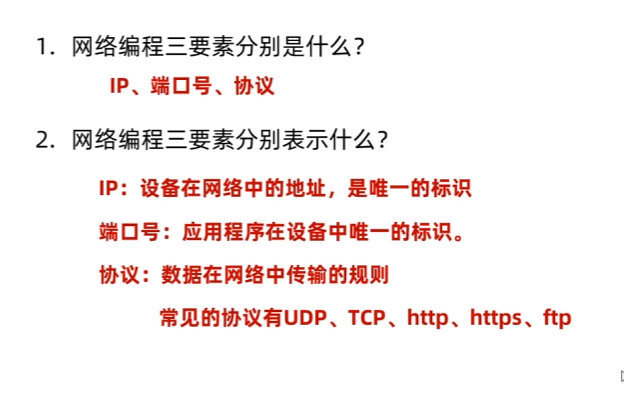
IP
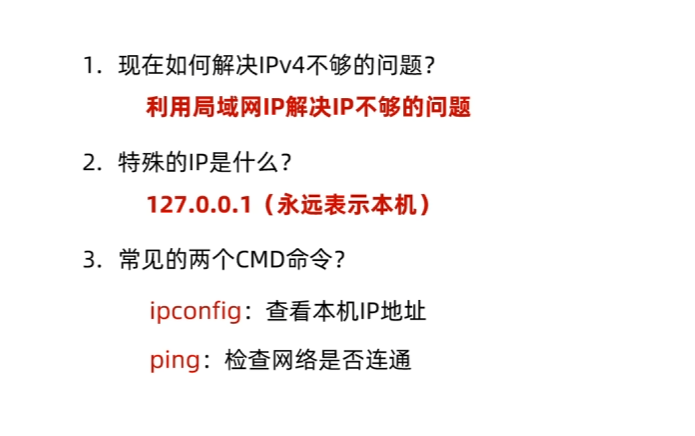
InetAddress
InetAddress 是 Java 网络编程中用于封装 IP 地址(支持 IPv4/IPv6)及主机名的核心类。它不提供公有构造方法,通过静态工厂方法(如 getByName(String host)、getLocalHost())获取实例,核心功能是域名解析(正向)和获取原始 IP 字节(getAddress())。
public class InetAddressDemo1 {
    public static void main(String[] args) throws UnknownHostException {

        InetAddress ia = InetAddress.getByAddress(new byte[]{(byte) 192, (byte) 168,62,25});
        String hostName = ia.getHostName();
        String hostAddress = ia.getHostAddress();
        System.out.println(hostName);
        System.out.println(hostAddress);

    }
}
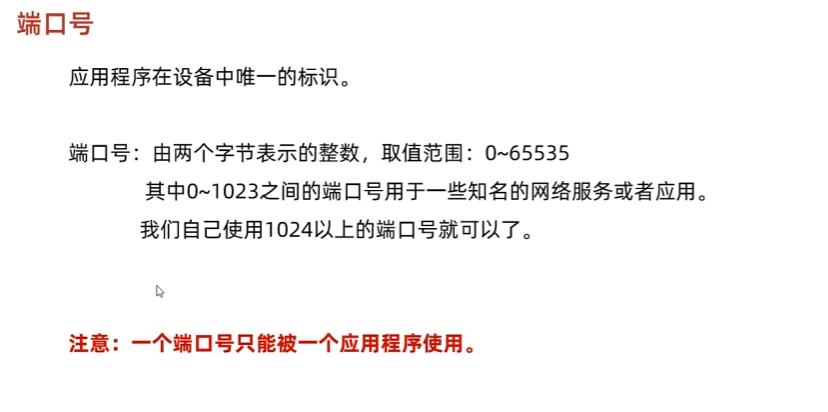
端口号
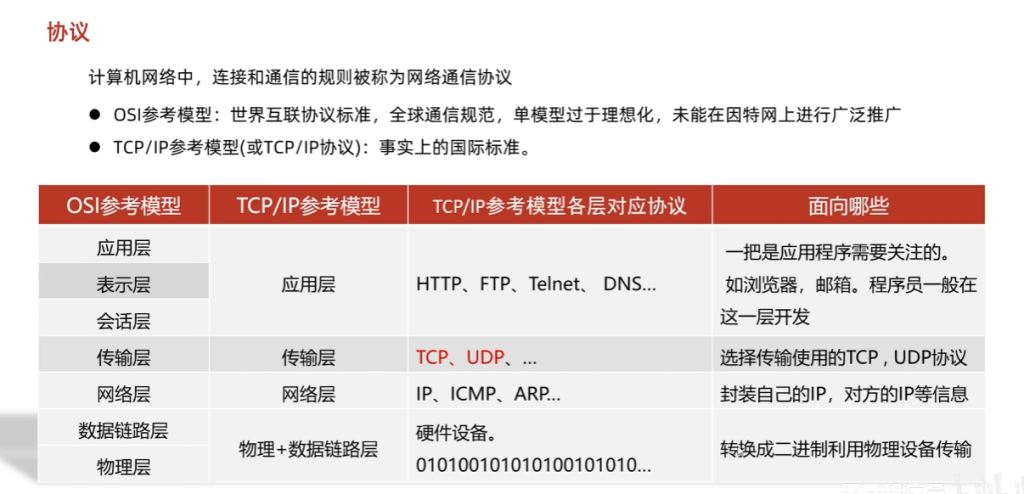
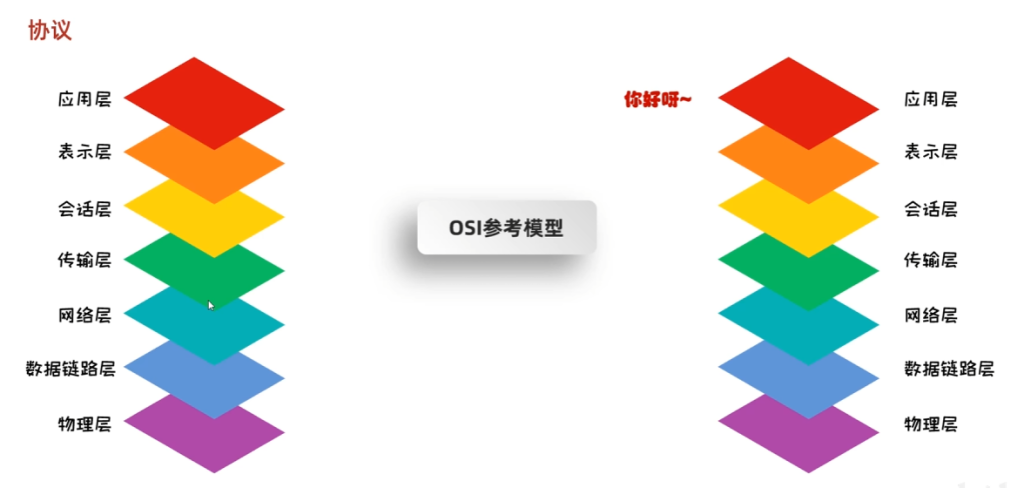
协议
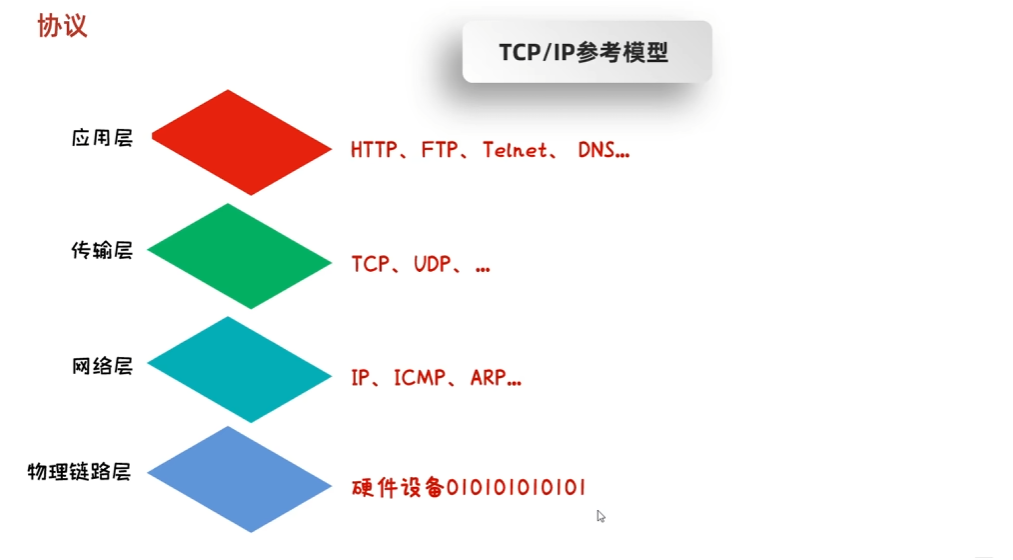
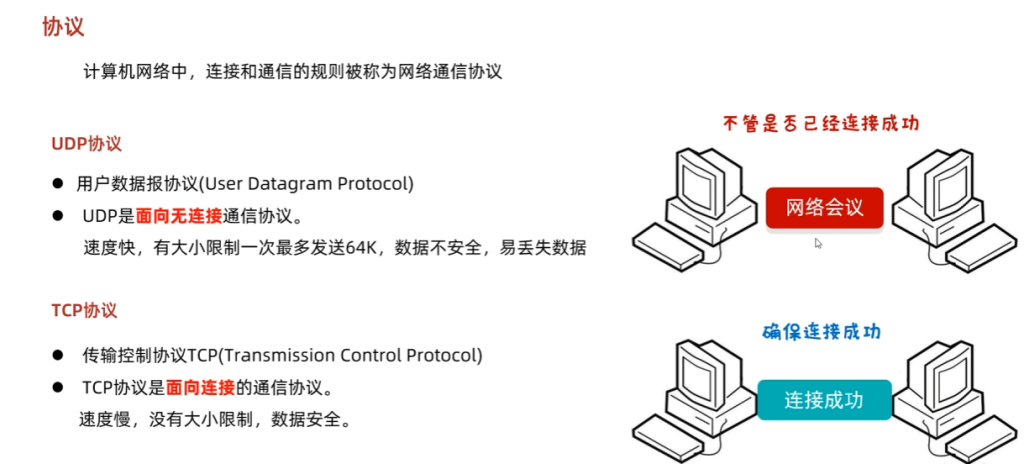
基本概念
UDP
发送数据
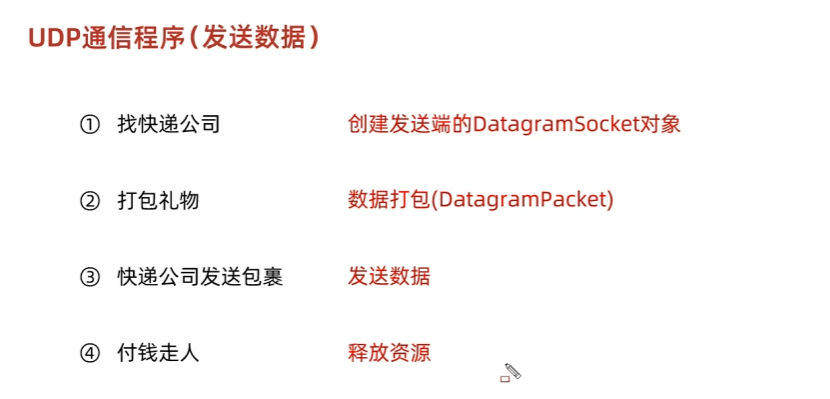
发送数据:
public class UdpDemo1 {
    /*
    * UDP发送数据
    */
    public static void main(String[] args) throws IOException {
        //1.创建DatagramSocket对象(快递公司)
        DatagramSocket dgs = new DatagramSocket();
        //2.打包数据
        byte[] buf = "哈喽呀".getBytes();
        InetAddress ia = InetAddress.getByName("127.0.0.1");
        int port = 10086;
        DatagramPacket dgp = new DatagramPacket(buf, buf.length, ia, port);
        //3.发送数据
        dgs.send(dgp);
        //4.释放资源
        dgs.close();
    }
}
接收数据
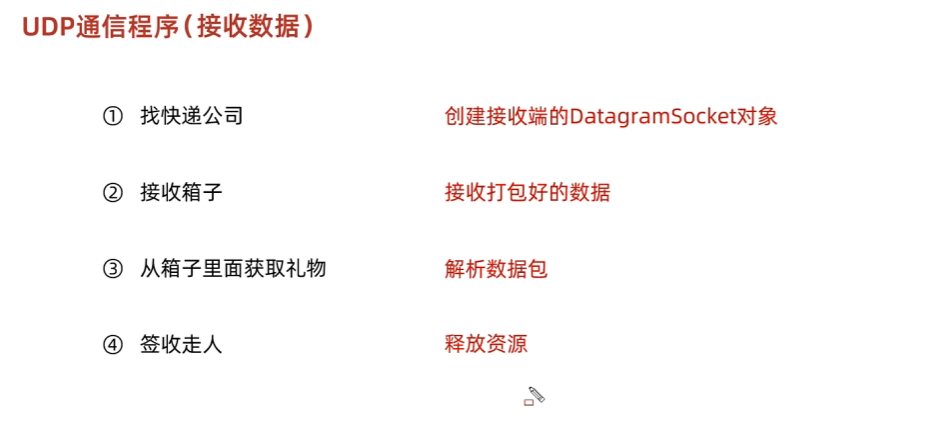
接收数据:
public class UdpDemo2 {
    /*
    * UDP接收数据
    */
    public static void main(String[] args) throws IOException {
        //1.创建DatagramSocket对象(快递公司)
        DatagramSocket ds = new DatagramSocket(10086);
        //2.创建新的打包数据用来接收数据
        byte[] bytes = new byte[1024];
        DatagramPacket dp = new DatagramPacket(bytes, bytes.length);
        //receive方法是阻塞的,它会等发送端发送数据
        ds.receive(dp);
        //3.解析数据
        long len = dp.getLength();
        byte[] data = dp.getData();
        InetAddress address = dp.getAddress();
        int port = dp.getPort();
        System.out.println("接收到数据" + new String(data, 0, (int) len));
        System.out.println("该数据是从" + address + "这个电脑的" + port + "端口发出的");
        //4.释放资源
        ds.close();
    }
}
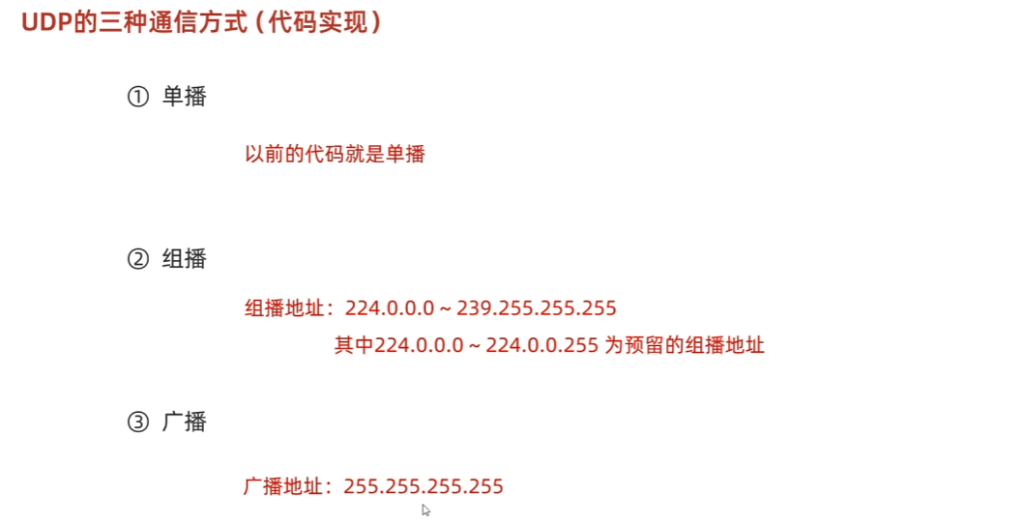
UDP的三种通信方式
TCP
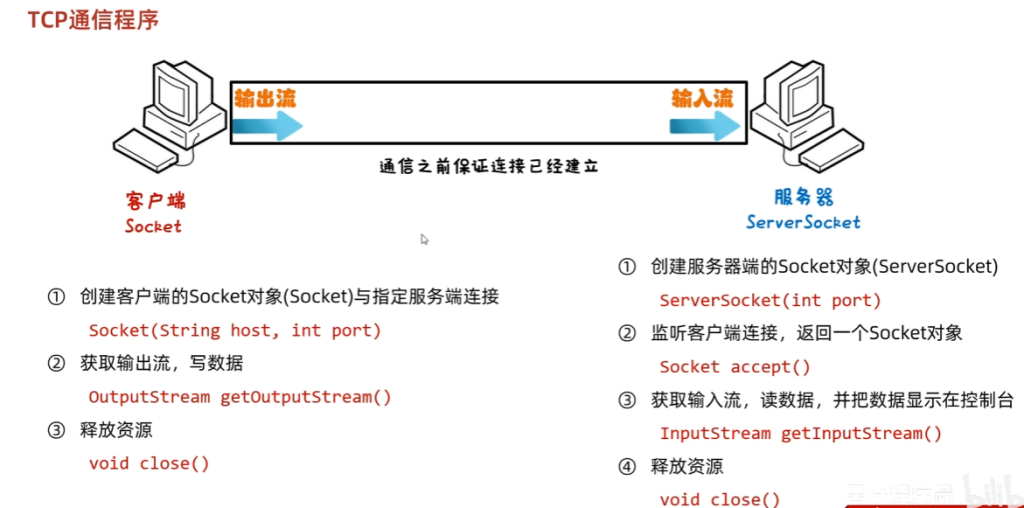
tcp发送接收数据:
import java.io.IOException;
import java.io.OutputStream;
import java.net.Socket;

public class Client {
    public static void main(String[] args) {
        try {
            // 1. 创建Socket并连接服务器
            Socket socket = new Socket("127.0.0.1", 8888);
            System.out.println("已连接到服务器:" + socket.getRemoteSocketAddress());

            // 2. 获取输出流,发送数据
            OutputStream os = socket.getOutputStream();
            String message = "Hello, Server! 我是客户端。";
            os.write(message.getBytes());
            os.flush(); // 确保数据完全发送
            System.out.println("已发送消息:" + message);

            // 3. 关闭资源(注意先关输出流再关Socket)
            os.close();
            socket.close();
            System.out.println("客户端已关闭。");
        } catch (IOException e) {
            e.printStackTrace();
        }
    }
}
import java.io.IOException;
import java.io.InputStream;
import java.net.ServerSocket;
import java.net.Socket;
public class Server {
public static void main(String[] args) {
try {
// 1. 创建ServerSocket并绑定端口
ServerSocket serverSocket = new ServerSocket(8888);
System.out.println("服务器已启动,等待客户端连接...");
// 2. 监听并接受客户端连接(阻塞)
Socket socket = serverSocket.accept();
System.out.println("客户端已连接:" + socket.getRemoteSocketAddress());
// 3. 获取输入流,读取客户端数据
InputStream is = socket.getInputStream();
byte[] buffer = new byte[1024];
int len;
while ((len = is.read(buffer)) != -1) {
String received = new String(buffer, 0, len);
System.out.println("收到客户端消息:" + received);
}
// 4. 关闭资源
is.close();
socket.close();
serverSocket.close();
System.out.println("服务器已关闭。");
} catch (IOException e) {
e.printStackTrace();
}
}
}三次握手
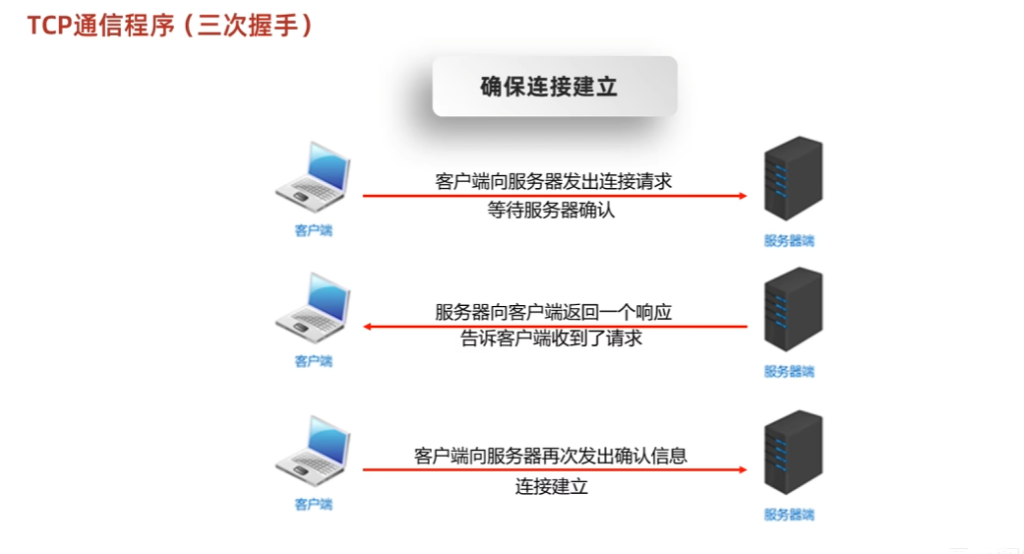
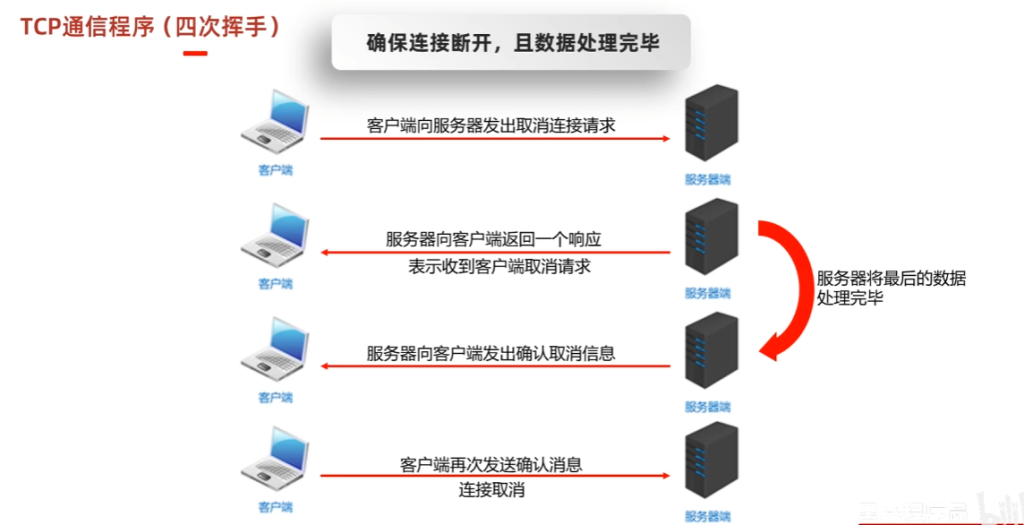
四次挥手